What Is a DGN File? Format, Versions and Power BI

Autodesk Forge, Bim, Building information modeling, Digital construction, Forge In The Wild, Microsoft, Power BI BIM, Template, Vcad for ACC®

24 April 2023

A DGN file is a CAD drawing or model created with MicroStation, the design software from Bentley Systems. This page explains what a .dgn file contains, the difference between the V7 and V8 versions, how to open one, and how to analyze its data in Power BI with Vcad.

What is a .dgn file?

DGN (short for “design”) is the native file format of MicroStation. It comes from IGDS (Interactive Graphics Design System), the CAD system developed by Intergraph in the 1980s, and it is still the standard format of Bentley applications today.

A .dgn file can hold 2D drawings or 3D models. It stores the geometry of the elements together with their properties: levels, colors, line styles, cells (reusable blocks), references to other files and, in recent versions, attached data.

The format is widely used in infrastructure: roads and highways, bridges, rail, tunnels, plants and utilities. Many transportation agencies and large infrastructure owners require deliverables in DGN.

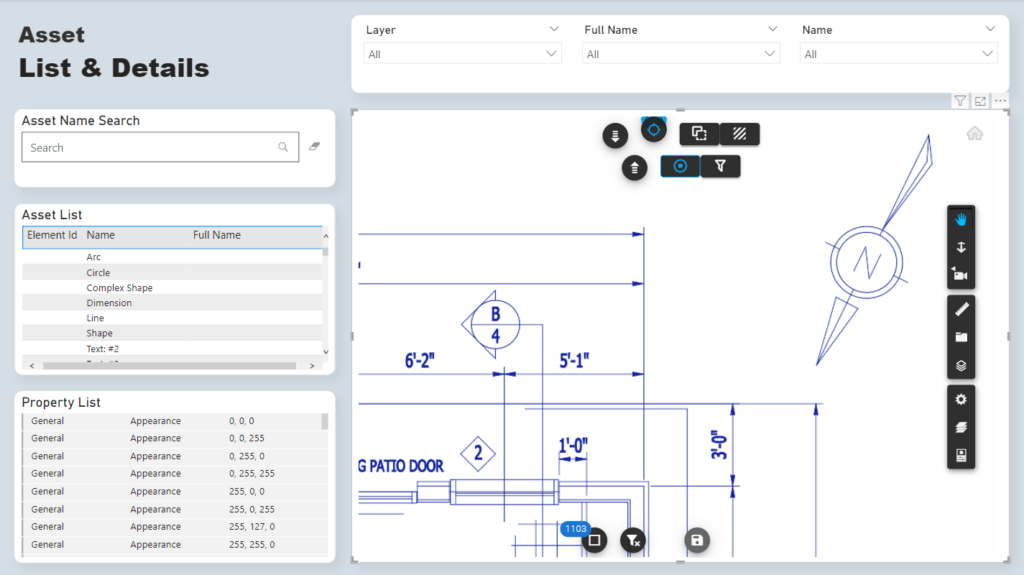
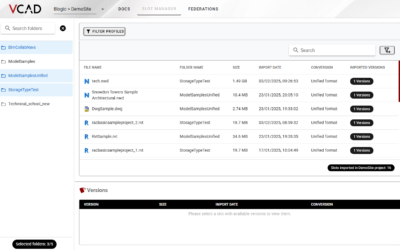
DGN model opened in Vcad

DGN V7 vs DGN V8

There are two main generations of the format:

  • DGN V7 is the older format, based on IGDS and used up to MicroStation SE and J. It has fixed limits, such as 63 levels and a single model per file.
  • DGN V8 was introduced with MicroStation V8 in 2001 and is the format used today. It removes most of the old limits: unlimited named levels, several models in one file, much larger files and better compatibility with DWG.

Both versions use the .dgn extension. If a file does not open in a recent application, it is often a V7 file that needs to be saved as V8 in MicroStation first.

How to open a DGN file

  • MicroStation and the other Bentley applications open both V7 and V8 files natively.
  • Autodesk AutoCAD can import and attach V8 DGN files (DGNIMPORT and DGNATTACH commands).
  • Online viewers built on Autodesk Platform Services, such as Vcad, can display V8 DGN models in the browser without any CAD software installed.

DGN vs DWG

DWG is the native format of AutoCAD, DGN the native format of MicroStation. Both store 2D and 3D CAD data, and each application can import the other format. In practice the choice depends on the software used by the project owner: DWG is more common in buildings, DGN in infrastructure and transportation projects.

DGN data in Power BI with Vcad

Vcad reads V8 DGN files through Autodesk Platform Services and turns them into a 3D model plus a dataset ready for Power BI. The model and its data stay linked: when you filter a chart, the 3D view filters too, and when you select an element in the model, the report shows its data.

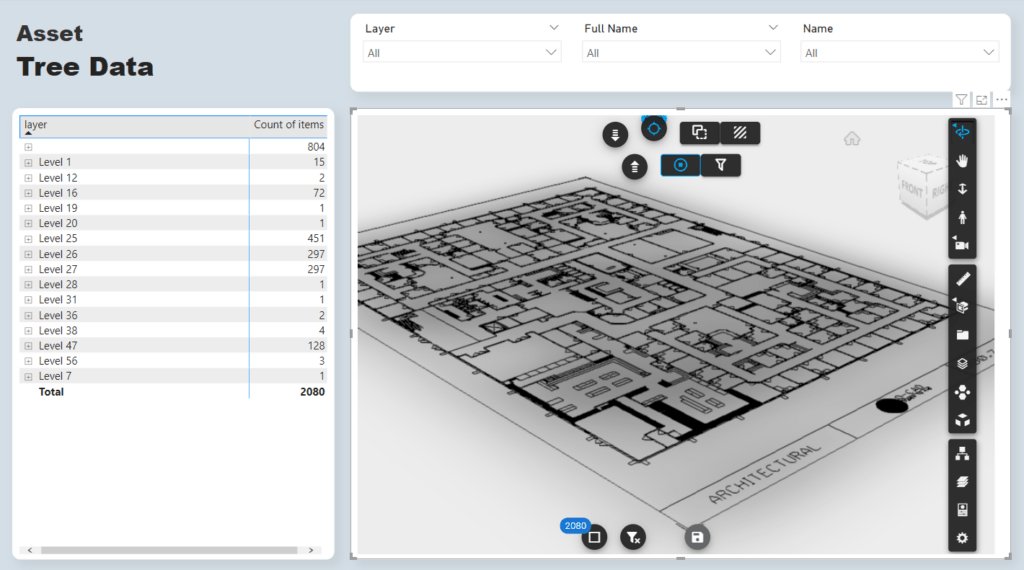
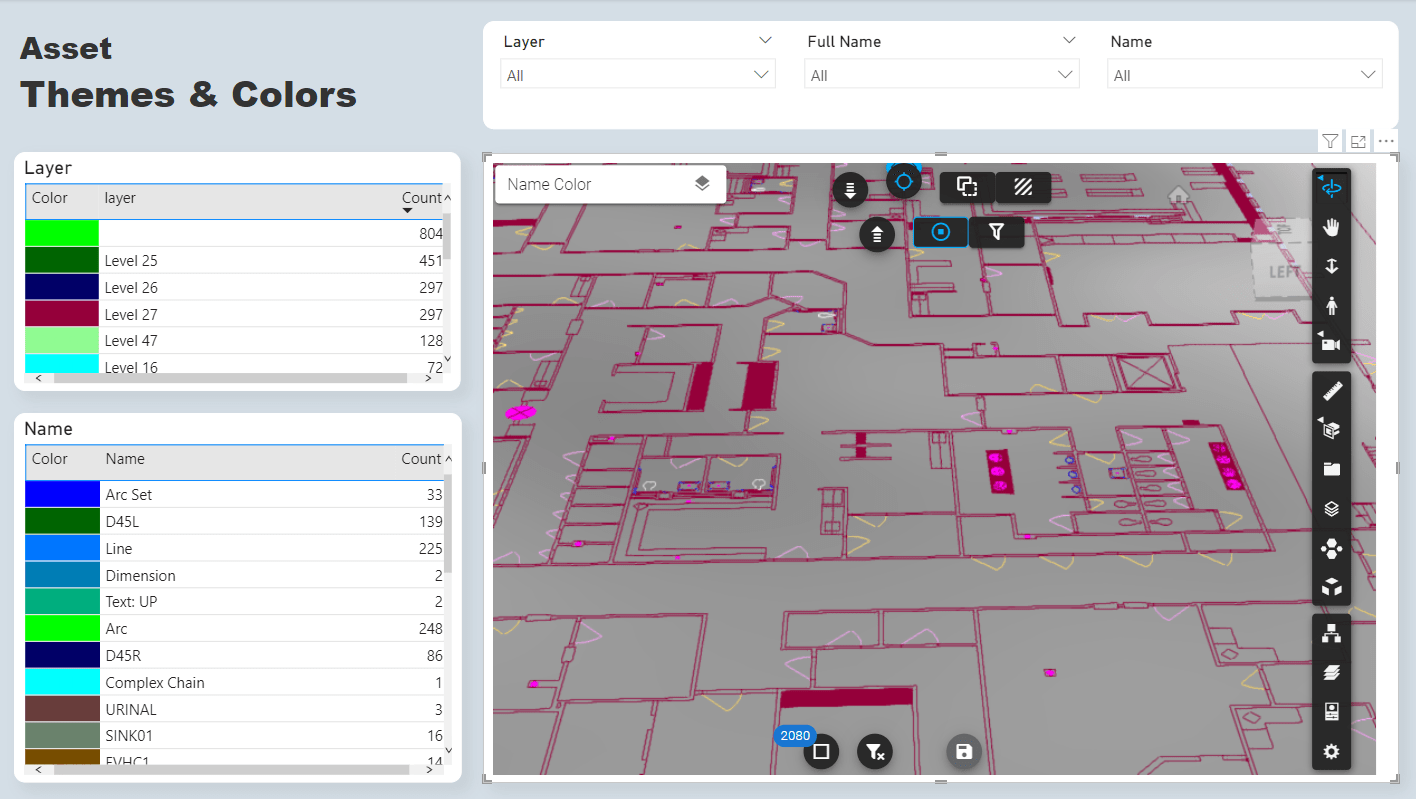
Vcad Power BI template for DGN files

The Vcad template for .dgn files includes a summary page of the extracted data and other pages with color themes, data tables and a tree view of the model structure.

Working with DGN and DWG files together? See how to combine a model and multiple drawings in one Power BI report, or read the complete guide on bringing BIM and CAD data into Power BI.

Want to see your DGN files in Power BI? Request a demo and we will show you how it works with your own models.

You May Also Like…


Vcad brings every property of your BIM model into ready-made Power BI reports – upload an IFC file, or connect APS or Forma.

Certificazioni Blogic Autodesk AEC Gold Technology Partner Vcad Autodesk Platform Services Certified

COMPANY

Blogic s.r.l.
Via F. Mengotti, 15
00191 Rome, Italy
VAT: IT05731610720

Privacy Policy | Terms & Conditions – ©2026 | All Rights Reserved