In a large building, knowing the real condition of every mechanical component is harder than it sounds. The data exists (condition, maintenance dates, work orders) but it usually lives scattered across spreadsheets, maintenance software, and separate floor plans. Knowing what needs attention isn’t enough if you can’t quickly see where that component actually is.
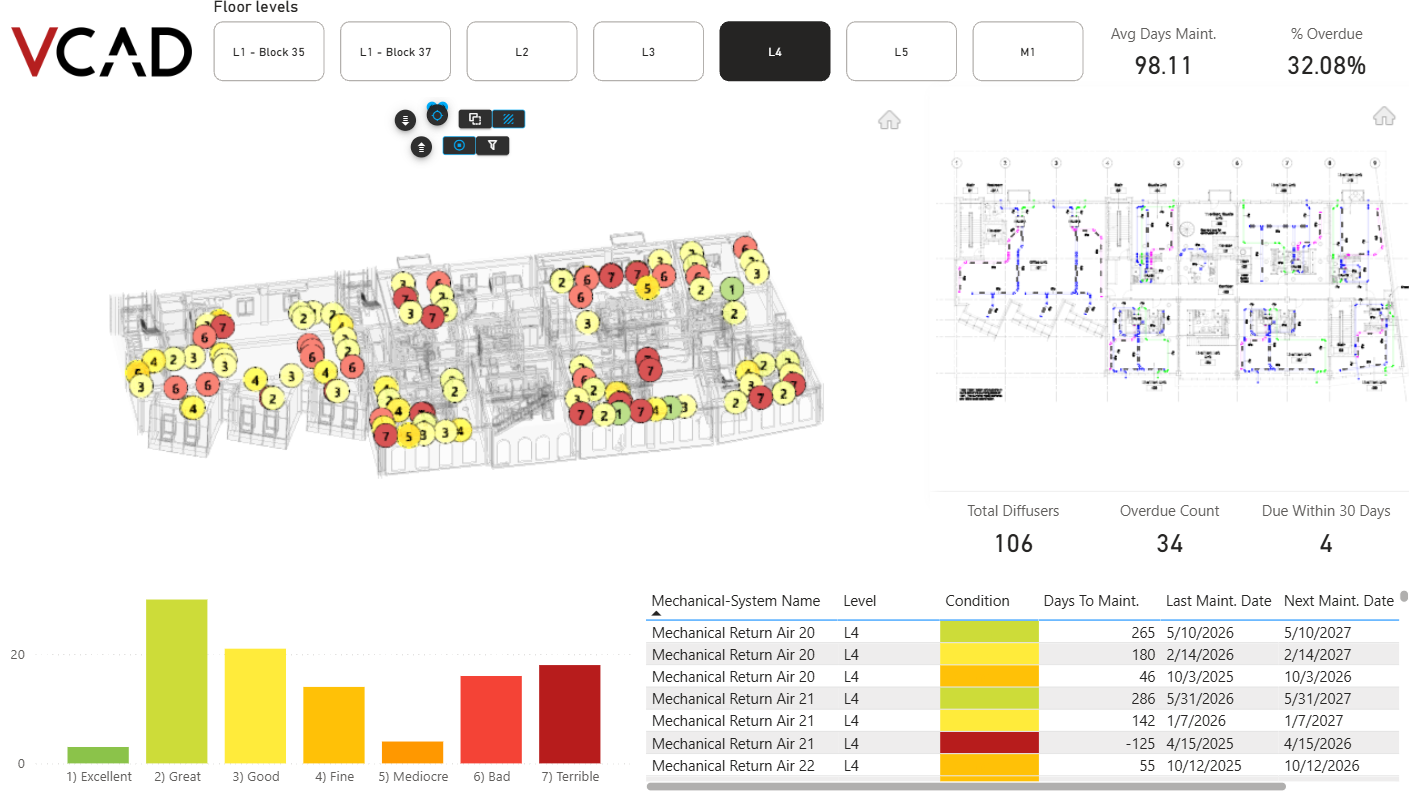
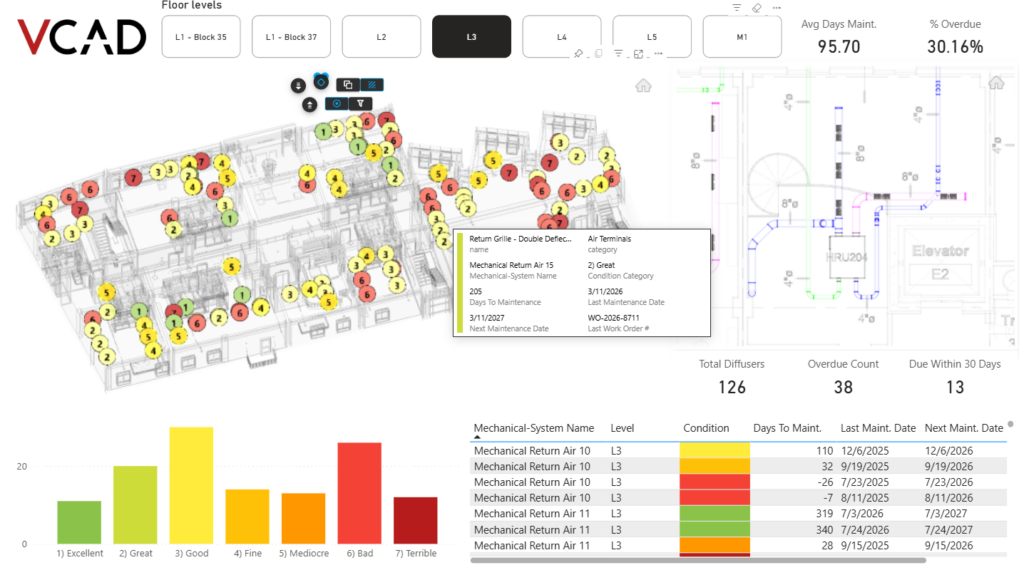
Vcad solves this by bringing maintenance data directly onto the 2D and 3D BIM model, inside Power BI. In this example, HVAC diffuser data is connected through an Excel file, but the same approach works with virtually any source Power BI can read: databases, maintenance management systems, exports from other tools. Each element is color-coded by condition, from Excellent to Terrible, so overdue or at-risk components stand out immediately, floor by floor.
One view, every indicator
Selecting a floor updates the 3D model and the corresponding 2D floor plan together, along with key indicators: average days to maintenance, percentage overdue, total diffuser count, and how many are due within 30 days. Hovering over an element opens its full record (category, condition, last and next maintenance date, last work order number) without leaving the model view.
From the whole floor to a single component
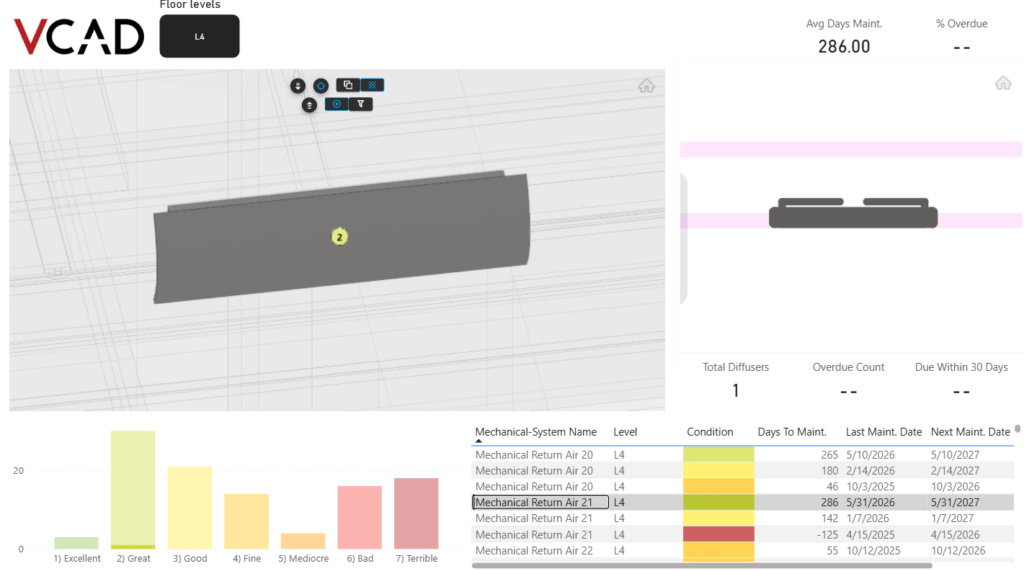
When more focus is needed, clicking a single diffuser isolates it in both the 3D and 2D views, and the indicators recalculate for that component alone. It’s a fast way to move from a building-wide overview down to one specific part, without switching tools or losing context.
The benefit is simple: maintenance stops being a manual cross-check between spreadsheets and floor plans, and becomes visual and immediate, with condition, history, and next steps shown right where the equipment is. And because it’s built on Power BI, the same setup can be adapted to other systems, other data sources, or other stages of a building’s lifecycle.
Explore all the reports built with Vcad on our Power BI examples page.
You can also try this exact report live: open the interactive maintenance report.