In today’s construction industry, making decisions based on data is essential. Two important technologies are changing how architects, engineers, and project managers work: Power BI and BIM (Building Information Modeling).
When you combine Power BI and BIM, you create a complete solution for analyzing data and making smart decisions. Moreover, this integration lets your organization extract useful information from BIM models and monitor project progress in real-time.
Additionally, you can identify potential problems before they become expensive to fix. This guide shows you how Power BI and BIM work together and how to use them to improve efficiency and reduce costs.
What is BIM?
Building Information Modeling (BIM) is a new way to design, plan, and build construction projects. Instead of using traditional 2D drawings, BIM creates intelligent 3D models.
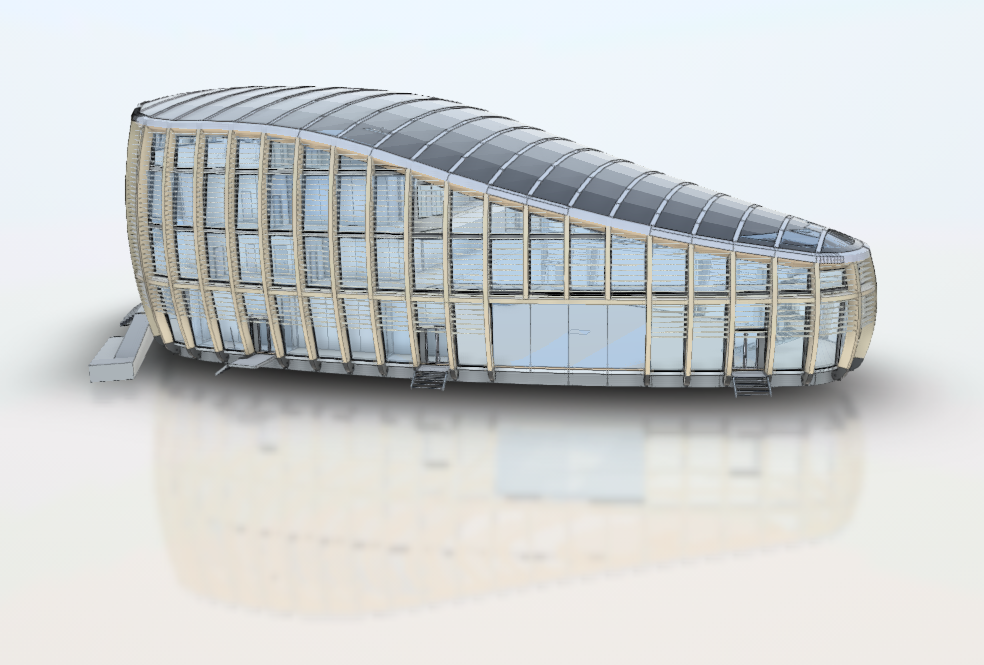
BIM is a digital model of a building that contains all important information. This includes structural elements, mechanical systems, materials, costs, and schedules. In other words, BIM brings all building data together in one place.
Key Parts of BIM
First, there is 3D Geometric Data. This gives you exact spatial information about all building elements. Second, Material Information provides details about materials, their costs, and environmental impact. Third, Scheduling Data shows the timeline and order of construction phases.
Furthermore, Performance Data describes energy efficiency and structural strength. Finally, Cost Information tracks the budget across all project phases.
Why BIM Matters
BIM eliminates common problems in traditional construction. All team members—architects, engineers, contractors, and facility managers—work with the same digital model. This ensures consistency and reduces errors.
Moreover, BIM enables clash detection. This means identifying conflicts between building systems before construction begins. As a result, you save both time and money.
What is Power BI?
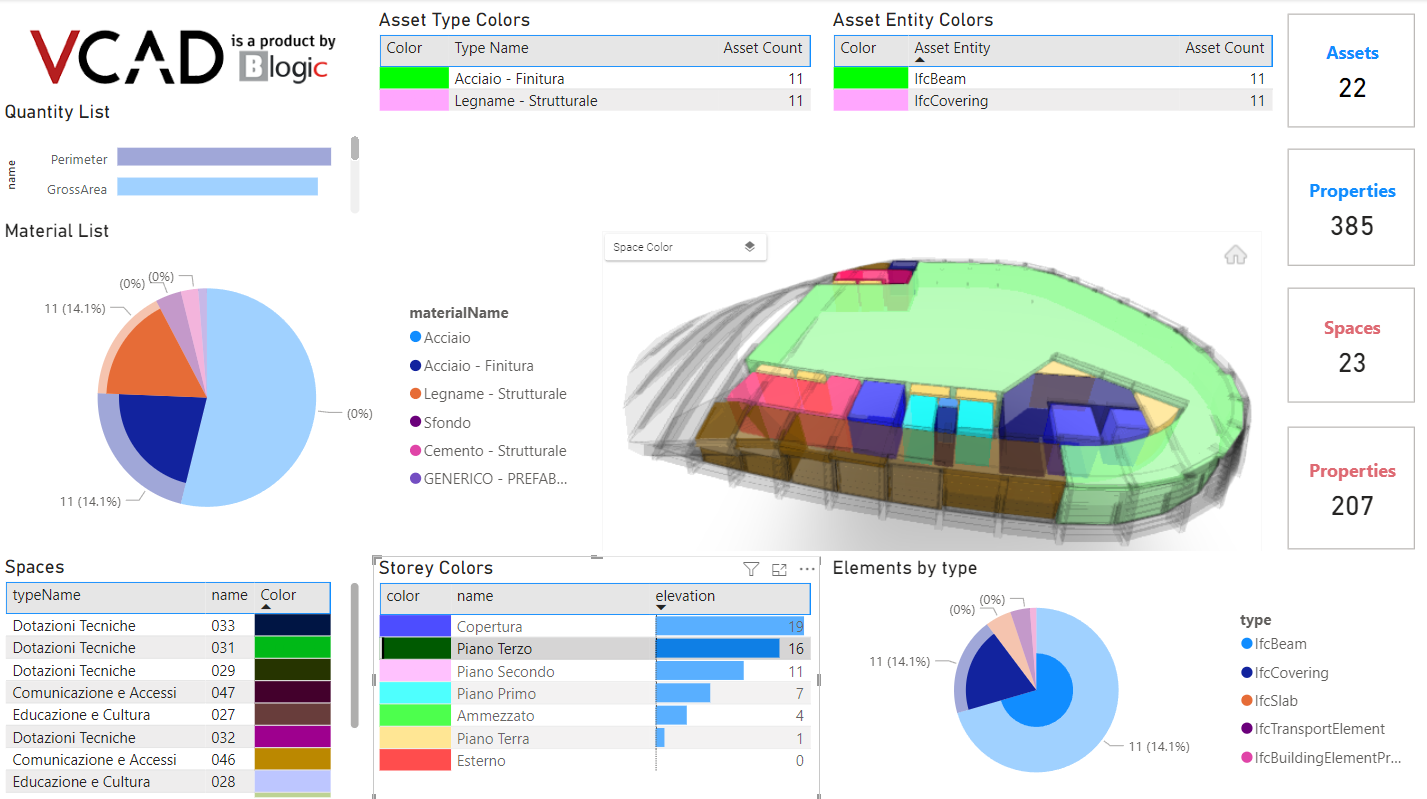
Power BI is Microsoft’s business intelligence platform. It transforms raw data into useful insights through interactive dashboards, reports, and visual analytics.
Power BI lets your organization connect to different data sources and analyze information. The platform works for users of all technical levels, from data analysts to business managers.
Main Features of Power BI
Power BI has several important features. First, Data Connectivity lets you connect to hundreds of data sources. These include databases, Excel files, cloud services, and APIs.
Additionally, Data Transformation helps you clean and prepare data for analysis. Moreover, Advanced Analytics lets you create sophisticated models. Furthermore, Interactive Visualizations help you build dynamic dashboards with many options.
Finally, Real-time Monitoring tracks your key performance indicators (KPIs) as data updates. Collaboration features also let your team share insights securely across the organization.
Why Power BI is Important in Construction
In construction, data comes from many different systems. For example, you have project management software, financial systems, resource planning tools, and BIM platforms. Power BI brings all this scattered data together.
As a result, Power BI reveals patterns and trends that would be impossible to see in separate spreadsheets. This helps you make better decisions faster.
The Power of Combining Power BI and BIM
While BIM and Power BI are powerful separately, combining them creates something better. Together, they create a solution that combines the strengths of both technologies.
How Power BI and BIM Integration Works
The integration process has five clear steps. First, Data Extraction takes information from BIM models. This includes costs, quantities, schedules, and material properties.
Second, Data Enrichment combines BIM data with information from project management and financial systems. Third, Analysis uses Power BI to examine the data and find trends. Fourth, Visualization creates interactive dashboards that everyone can understand.
Finally, Decision Support helps teams make decisions based on complete, up-to-date information. This workflow transforms BIM from a design tool into a business intelligence platform.
Real-World Applications of Power BI and BIM
Cost Management and Budget Tracking
Construction projects often go over budget. This happens because cost increases go undetected too late. The solution is to extract cost data from your BIM model and connect it to Power BI.
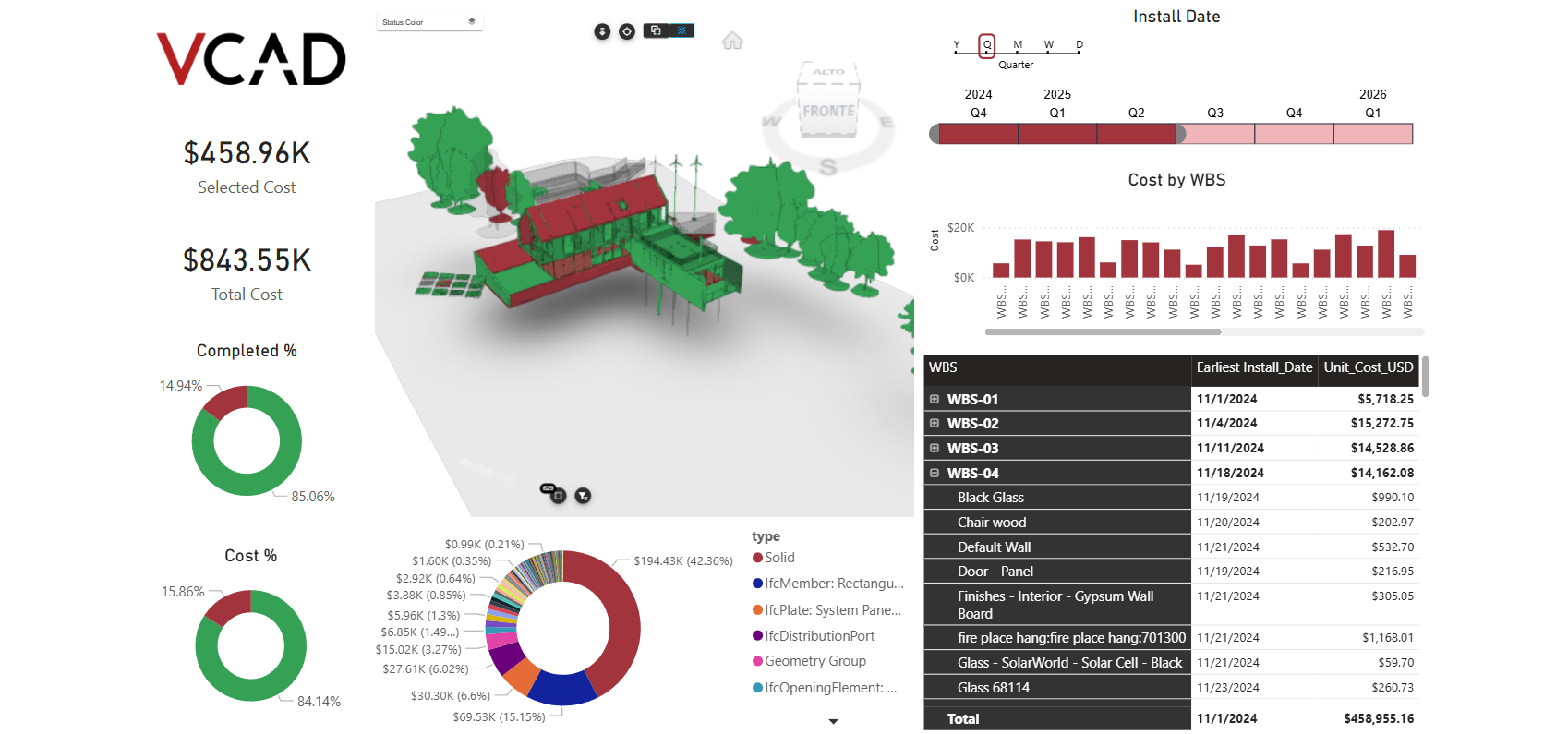
Create dashboards that show planned versus actual costs by building system. Additionally, track cost changes by phase or contractor. Moreover, monitor material cost changes and resource costs.
The result is simple: you identify budget problems early. Therefore, you can take action before costs get out of control.
Schedule Optimization and Progress Monitoring
Construction schedules are complex because different trades depend on each other. Moreover, delays cascade through following activities.
Combine BIM scheduling data with Power BI to create real-time progress dashboards. Show percentage completion by building system, variance between planned and actual schedules, critical path analysis, resource use rates, and productivity metrics by trade.
This approach enables you to manage schedule risks proactively. Furthermore, you can identify optimization opportunities before delays impact completion dates.
Material Management and Sustainability Tracking
Modern construction focuses on sustainability. However, tracking material sourcing, waste, and environmental impact requires good data management.
Extract material specifications from BIM models. Then integrate this data with procurement, inventory, and waste tracking systems. Use Power BI to monitor material sourcing, waste generation rates, environmental impact metrics, supplier performance, and circular economy metrics.
This enables optimization of material usage. Moreover, you reduce waste and demonstrate environmental compliance.
Quality and Safety Management
Quality issues and safety incidents must be found quickly. This minimizes impact and prevents problems from happening again.
Connect BIM geometric data with quality inspection records and safety incident logs. Create dashboards that show defect locations on BIM models, defect trends by building system, safety incident hotspots, inspection completion rates, and non-conformance resolution tracking.
This visualization helps with faster problem-solving. Furthermore, it enables preventive measures.
Facility Management and Operational Planning
After a project is completed, facility managers need comprehensive data about building systems and maintenance. Transition BIM models to facility management with complete operational data integrated in Power BI.
Include equipment maintenance schedules and history, energy consumption by system, space usage patterns, asset inventory and lifecycle management, and predictive maintenance analytics.
This approach optimizes building operations. Moreover, it reduces maintenance costs and extends asset lifespans.
Business Benefits of Power BI and BIM Integration
Organizations that implement Power BI and BIM integration see significant benefits.
Improved Decision-Making
Data-driven decisions replace guesswork. All stakeholders see the same real-time information. Therefore, miscommunication decreases and decisions become faster and better.
Enhanced Collaboration
Shared dashboards and reports create common understanding across teams. Breaking down data silos improves communication between departments. Moreover, it improves communication between organizations.
Cost Reduction
Early identification of cost overruns and material waste prevents expensive fixes later. Additionally, optimized resource allocation reduces waste. Furthermore, it improves productivity.
Schedule Optimization
Real-time progress monitoring identifies delays before they impact critical paths. Moreover, predictive analytics help you anticipate future schedule risks.
Risk Management
Comprehensive data visibility enables proactive risk management. Furthermore, what-if scenario analysis helps you evaluate mitigation strategies before implementation.
Increased Profitability
By reducing costs, optimizing timelines, and improving resource efficiency, Power BI and BIM integration directly impacts project profitability.
Competitive Advantage
Organizations using Power BI and BIM gain significant competitive advantages. This comes from superior project delivery, better client satisfaction, and operational excellence.
Implementation Best Practices
Start with Clear Objectives
Define specific business problems you want to solve. Focus on high-impact metrics that directly support decision-making. Don’t try to analyze all possible data at once.
Establish Data Governance
Quality data is essential for meaningful analysis. Implement processes that ensure data consistency, accuracy, and completeness across BIM models and connected systems.
Involve Stakeholders Early
Engage end-users throughout implementation. Their input ensures dashboards and reports address actual information needs. Moreover, early involvement improves adoption.
Begin Small and Iterate
Start with a pilot project focusing on one specific use case. Success builds momentum for broader implementation across projects and organizations.
Invest in Training
Users must understand both BIM data structure and Power BI capabilities. Comprehensive training ensures maximum adoption and value realization.
Establish Maintenance Processes
Ensure someone owns dashboard maintenance and data updates. Without ownership, dashboards become outdated and lose credibility.
Tools and Technologies: VCAD as Your Solution
Power BI provides excellent visualization and analysis capabilities. However, extracting meaningful data from BIM models requires specialized tools.
VCAD solves this problem.
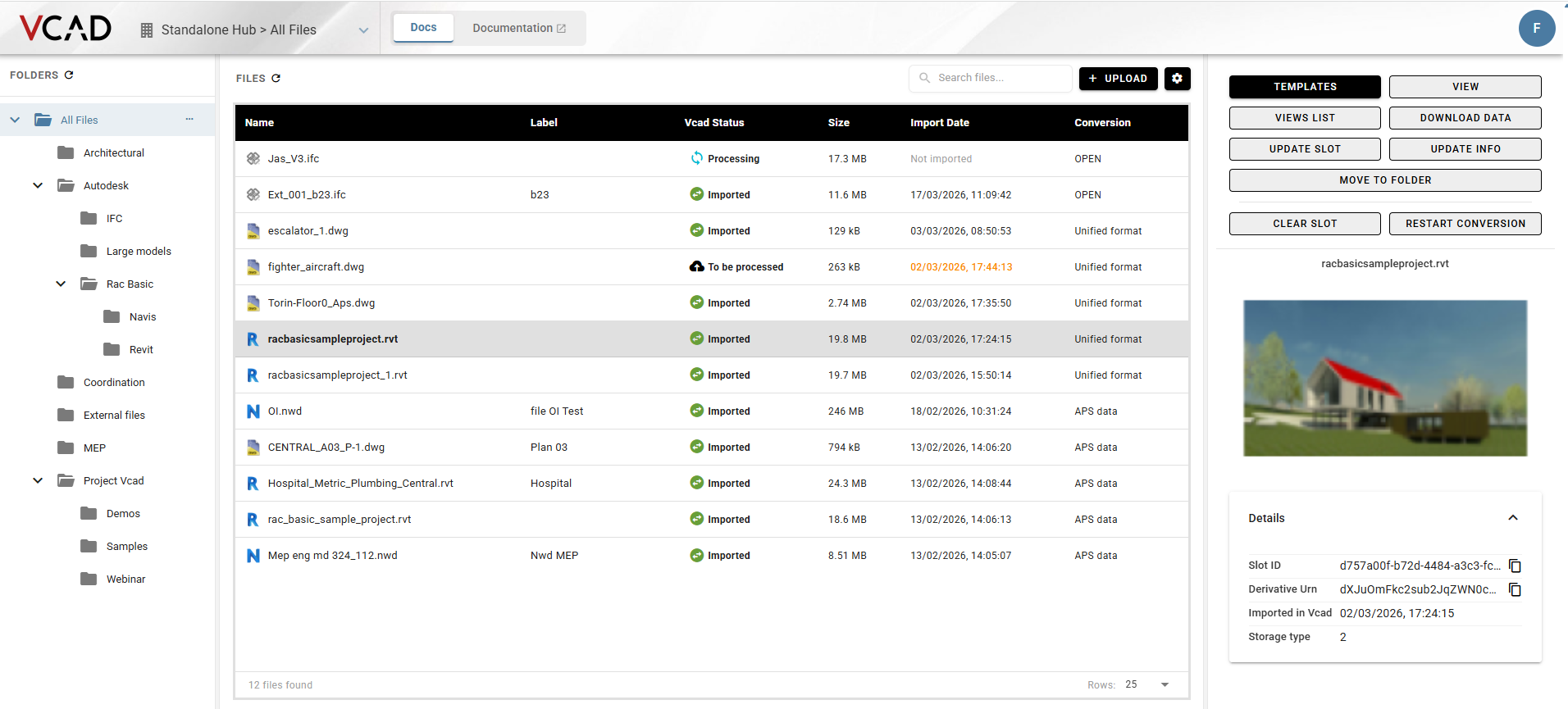
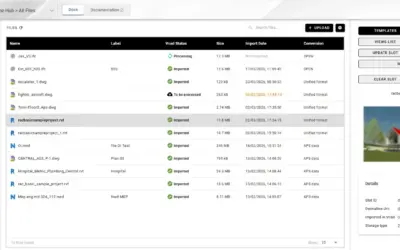
VCAD enables seamless Power BI and BIM integration. First, it extracts quantitative data from BIM files. This includes quantities, costs, and properties.
Second, VCAD connects BIM geometric information with analytical data. Third, it creates interactive visualizations that combine BIM context with Power BI analytics. Fourth, it enables what-if scenario analysis using BIM model data. Finally, it supports multiple BIM formats and data sources.
By using VCAD within Power BI, your organization gains faster BIM data extraction and integration, more sophisticated Power BI and BIM analytics, better decision-making based on comprehensive data, and reduced implementation complexity and cost.
The Future of Power BI and BIM
The construction industry is evolving toward greater digitalization and data-driven operations. Several emerging trends are important.
Artificial Intelligence and Machine Learning
AI algorithms will identify patterns in BIM and project data. Moreover, they will enable predictive analytics and autonomous anomaly detection.
Real-time IoT Integration
IoT sensors on construction sites will send real-time data to Power BI dashboards. Furthermore, this enables live monitoring of safety, quality, and progress.
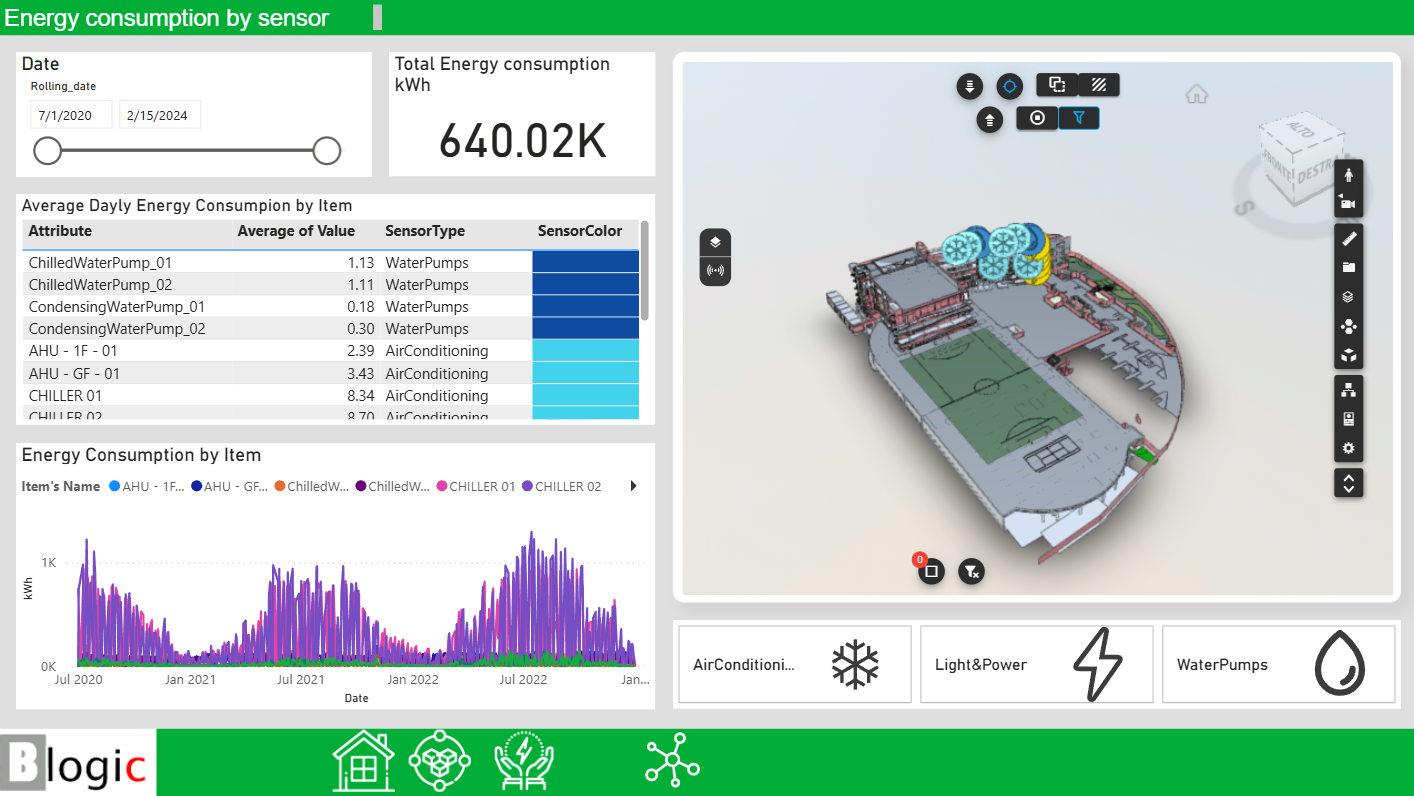
Advanced Visualization
Virtual and augmented reality will bring Power BI analytics into immersive environments. Additionally, stakeholders will interact with data within BIM models.
Cloud-Based Collaboration
Cloud platforms will enable seamless collaboration across distributed teams. Moreover, real-time Power BI dashboards will support global project coordination.
Conclusion
Power BI and BIM represent a transformational opportunity for construction organizations. By combining BIM’s rich data with Power BI’s powerful analytics, organizations unlock insights that drive better decisions, improve efficiency, and increase profitability.
The integration enables real-time monitoring of project progress and performance metrics. Furthermore, it enables data-driven decision-making based on comprehensive analysis. Additionally, it enhances collaboration through shared dashboards and reports.
Moreover, it enables cost optimization through early identification of inefficiencies. Finally, it provides competitive advantage through superior project delivery.
Ready to Transform Your Organization?
If you’re ready to leverage Power BI and BIM for competitive advantage, VCAD provides the specialized tools needed for successful implementation. Our platform simplifies Power BI and BIM integration. Moreover, it enables you to extract maximum value from your data.
Contact our team to discuss how Power BI and BIM can transform your organization. Let’s explore implementation strategies tailored to your specific business objectives.
Key Takeaways
BIM plus Power BI equals Business Intelligence. Combining building data with analytical capabilities unlocks unprecedented insights.
Real-world applications span from cost management to facility operations. They address critical business challenges.
Organizations realize measurable benefits. These include improved decision-making, cost reduction, schedule optimization, and increased profitability.
Clear objectives, data governance, stakeholder involvement, and iterative approaches maximize value realization during implementation.
Emerging technologies like AI and IoT will further enhance Power BI and BIM integration capabilities in the future.