Autodesk Platform Services explained for VCAD

Autodesk, Autodesk Platform Services, Bim, Navisworks, Revit, Vcad

20 July 2026

A BIM project usually means models in different formats: Revit, Navisworks, IFC, DWG. Each one normally requires its own software to open, which makes having a single, consistent viewer difficult, especially for non-technical users.


Autodesk solves this with Autodesk Platform Services (formerly Forge) is Autodesk’s cloud platform for reading and visualizing BIM and CAD formats without needing the original authoring software installed. Instead of requiring Revit to open an RVT file or Navisworks to open an NWD, it translates the model into a format any compatible viewer can render, processing the conversion in the cloud rather than on the viewer’s machine.APS is one of the integrations VCAD uses to read and display your models.


Beyond format support, APS gives VCAD a viewer built specifically for construction data: consistent visualization and consultation across formats, and the capacity to handle large, complex models without needing to simplify or lighten them first. It is the same rendering engine Autodesk uses in its own cloud products, so visual quality and performance are not a compromise compared to a generic viewer. 


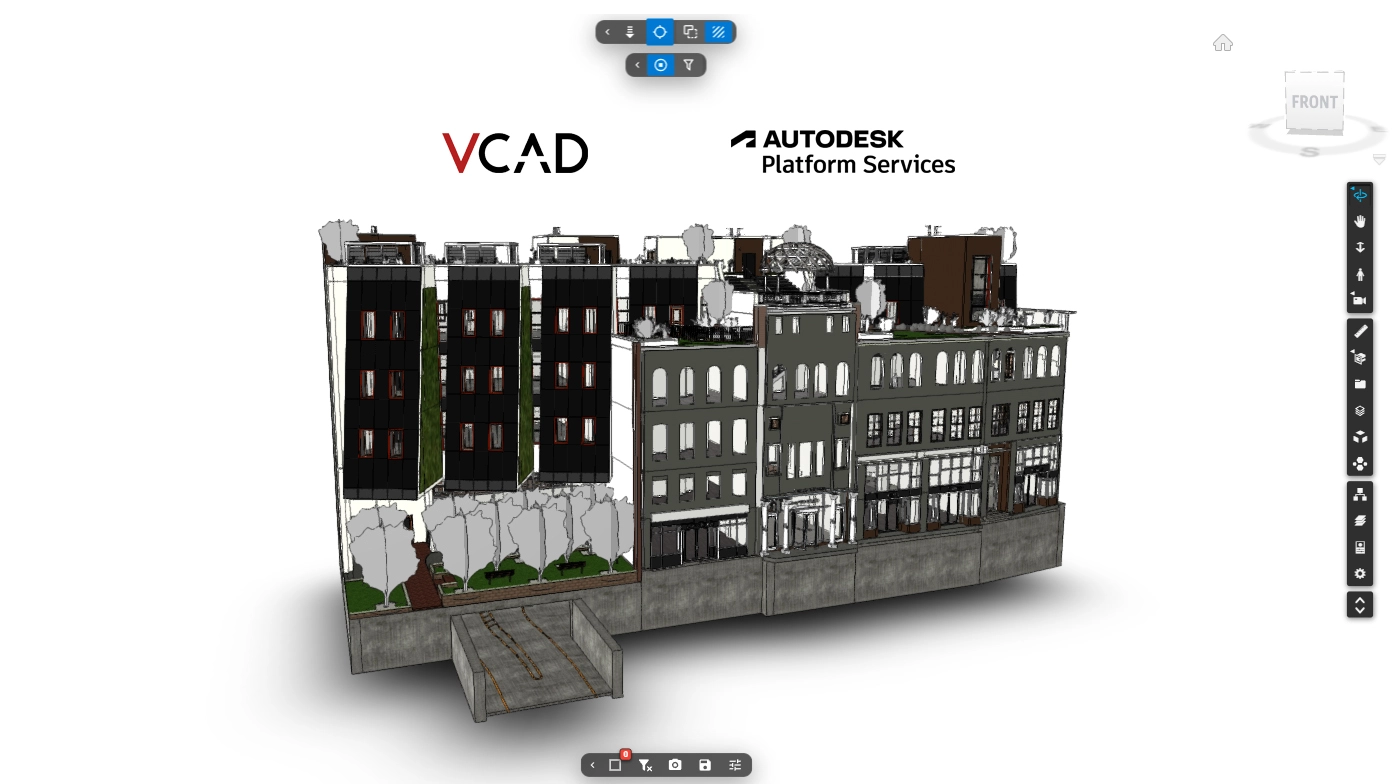
A model opened in VCAD through Autodesk Platform Services: the same viewer, regardless of the original file format.


How it works with VCAD

VCAD reads IFC files natively, and APS is what extends that to every format Autodesk itself supports: Revit, Navisworks, DWG, DGN, OBJ, STL. This is what powers VCAD: the model is sent to APS, which translates it, and VCAD extracts geometry and properties from it to bring into Power BI.

Whether a model comes from Autodesk Forma through Vcad, or is uploaded directly through APS in VCAD, the result inside Power BI is the same: the identical extraction and analysis pipeline runs underneath, regardless of the path the model took to get there.


Revit views and phases. Navisworks viewpoints.

Format-specific details carry through as well, not just raw geometry. From a Revit file, you can generate reports starting from any view or phase of the model, with the data corresponding to that view or phase. From a Navisworks file, VCAD makes all the viewpoints exported in the model available, so you can recall the views already saved during coordination directly in Power BI, without rebuilding them from scratch.


What you get for free

APS includes a free tier, with a monthly upload limit generous enough for regular use without running into problems, so most teams can rely on VCAD at no additional Autodesk cost while they get started.


Get started

Ready to enable it? Our guide walks through the steps to enable Autodesk Platform Services in VCAD and connect your first model.

You May Also Like…


Vcad transforms your model data into meaningful insights leveraging the power of Autodesk to analyze BIM in Power BI and Tableau

Certificazioni Blogic Autodesk AEC Gold Technology Partner Vcad Autodesk Platform Services Certified

COMPANY

Blogic s.r.l.
Via F. Mengotti, 15
00191 Rome, Italy
VAT: IT05731610720

Privacy Policy | Terms & Conditions – ©2026 | All Rights Reserved